
Admin console
settings and operations.
The operator console at /admin is the MIKODES Admin Kit 0.3.0: settings, encrypted secrets, team, audit, history, status and realised revenue. The record's own data screens (chats, callers, calls, seals, integrity review, revenue centre, VIP members, backup) open inside the same console, in its sidebar. This page follows the sidebar from top to bottom.
01Sign-in and roles
The console needs ADMIN_SECRET_KEY in .env. The first owner is created with the one-time setup code from the log (how).
| Role | Settings screens | Data screens (Monitor, Revenue centre, VIP members, Backup) |
|---|---|---|
owner | Everything, including team, secrets, export and import | Everything, plus revealing linked wallets, issuing or revoking API keys and downloading backups |
manager | Change settings | Approve, pause and rename chats, sign seals, mark promotions, review listings, manage members |
viewer | Read only | Read only. A viewer sees that a VIP invite was sent, never the invite link itself. |
Security & alerts adds two-factor sign-in (TOTP) and a list of sessions. Every change is written to the Audit log; secrets are write-only and never shown in clear. Each data screen checks the role on the server; the sidebar only hides entries you cannot open (Backup is shown to owners only).
The sidebar
| Group | Entries |
|---|---|
| Overview | Overview |
| Setup | Get started, Brand, Legal, Site |
| Money | Trading links, Jupiter swap, Plans, VIP membership, Plan 1–3, Paid listings, Sponsored slot, Revenue centre, VIP members |
| Product | Access, Telegram, Proof, API keys, Groups directory, Integrity, Method |
| System | Data sources, Integrations, Notifications, Backup, Security & alerts, Export / Import |
| Monitor | Chats, Callers, Calls, Seals, Integrity review, Logs, Revenue, Status, Audit log, History |
| Team | Team |
Entries in bold are the record's own data screens. They are served from /admin/ops/… and shown inside the console. Opened directly (for example /admin/ops/sources), the same screens have their own top bar with ← Console and a search (⌘K) that jumps to a seal number, caller, call or token.
Day-one order
- Get started: name, accent colour, support email, public address and the bot token.
- Telegram and Proof: chats, seal chats, your operator wallet.
- Monitor → Chats: approve the chat your bot was added to.
- Method: decide before you publish.
- Integrations: Solana RPC and Helius, if you use them.
- Security & alerts: two-factor on.
- Earnings, when you are ready.
02Overview
Today's net, blockers, a configuration health score and metric tiles: calls recorded, callers, share of calls sealed, chats waiting for approval, trading-link clicks, API requests, paid listings live, followers, follows, alerts delivered and not delivered, reply cards, VIP members. Revenue tiles count realised payments only (verified listing and membership payments).
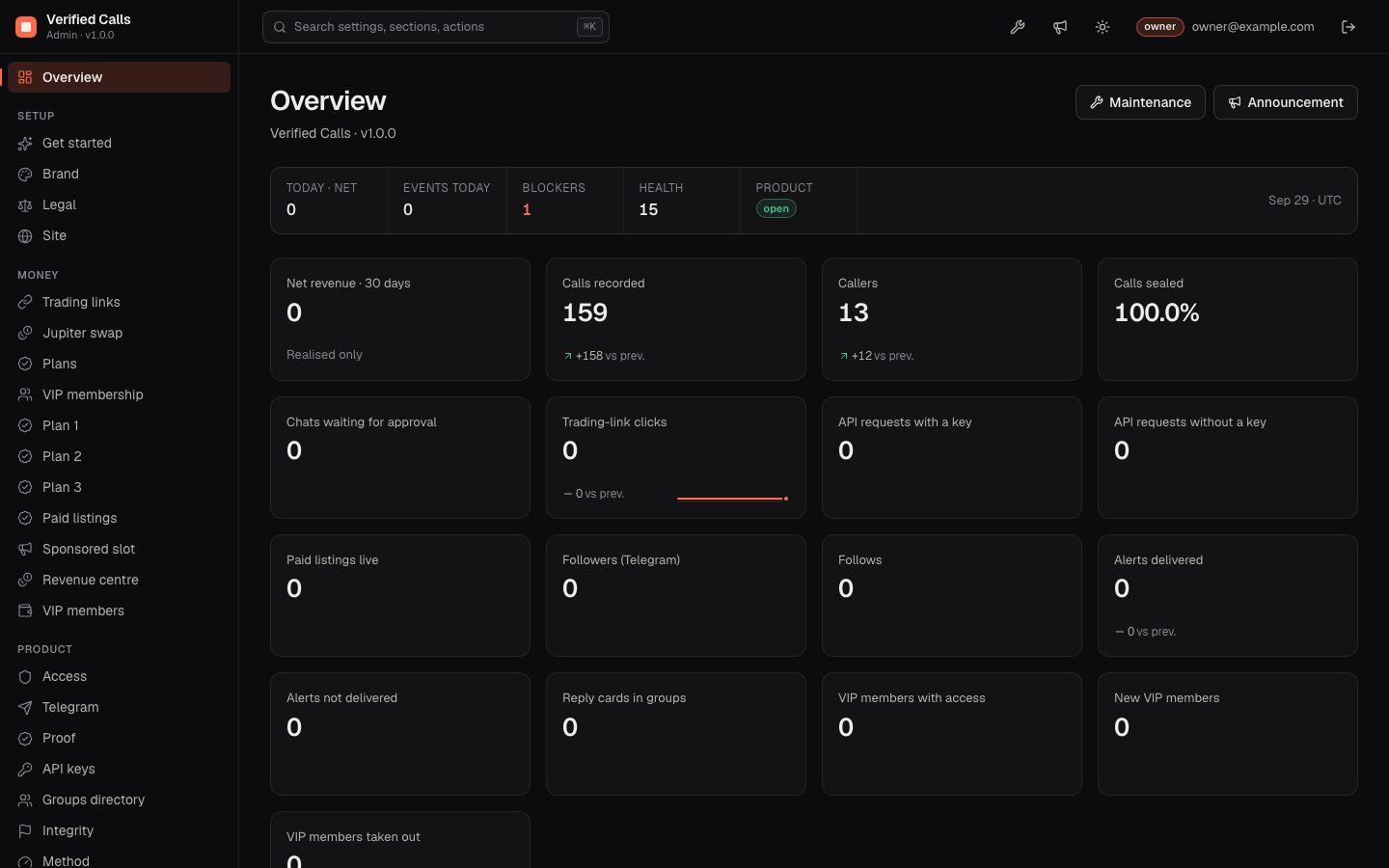
The Overview shows the kit's Maintenance and Announcement buttons, and the Access screen has maintenance mode, an announcement banner and blocked countries. In this version the public site and the bot do not read these settings: saving them changes nothing for visitors.
03Setup: Get started, Brand, Legal, Site
| Screen | What you set |
|---|---|
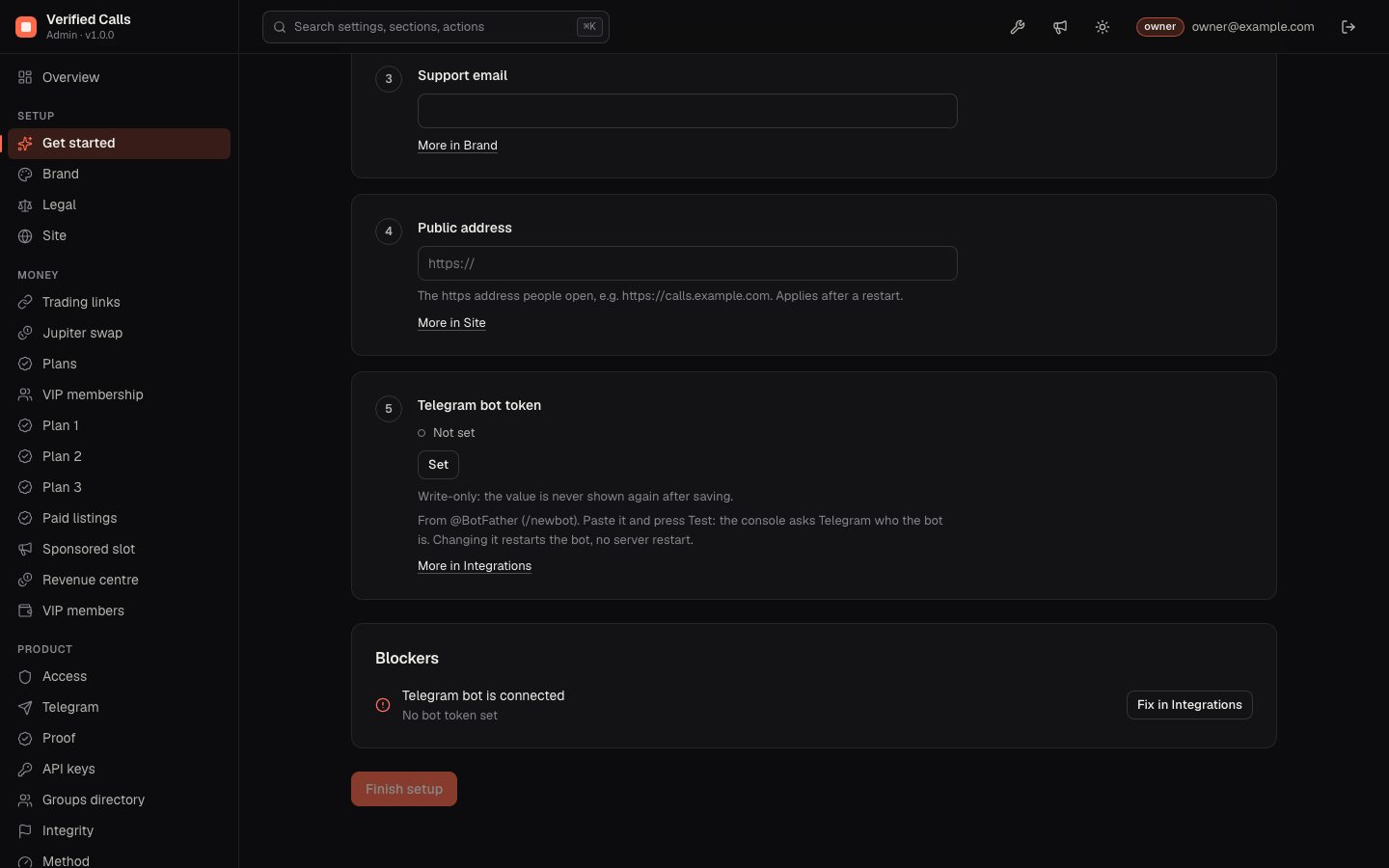
| Get started | Five steps on one page: product name, accent colour, support email, public address and the Telegram bot token (press Set, paste the token, then Test: the console asks Telegram who the bot is). Below them, the blockers still open. Finish setup stays disabled while a blocker fails, for example while no bot token is set. |
| Brand | Product name (site header, bot, badge), accent colour and logo are applied to the public site. Tagline, support email and website are stored but not shown on the public site in this version. See Rebranding. |
| Legal | The disclaimer is shown in the site footer and bot texts. Terms and privacy URLs are stored but not linked from the public site in this version. |
| Site | Public address (https://…). Applies after a restart. |
04Money
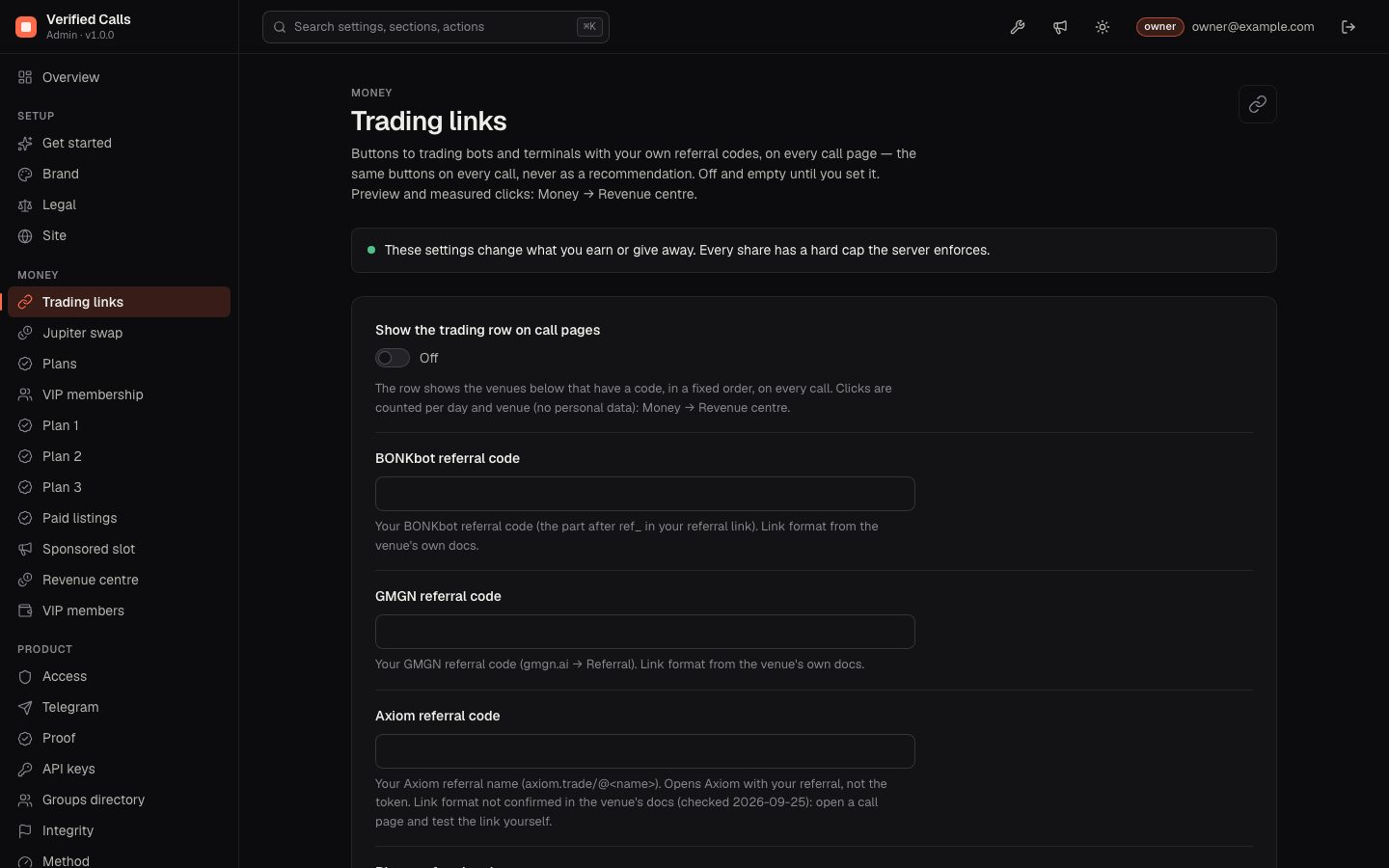
Trading links, Jupiter swap, Plans, VIP membership, Plan 1–3, Paid listings, Sponsored slot. All off and empty by default. Each is described step by step in Earnings. The two data screens in this group:
| Screen | What you do there |
|---|---|
| Revenue centre | Tabs: Overview (what each earning option does now and what was measured), Link clicks per day and venue, Listings to review, API keys (owner) and the Calculator. |
| VIP members | Members and payments: grant or revoke with a reason, re-send an invite, CSV export. |
05Product
| Screen | What you set |
|---|---|
| Access | Kit standard screen; not read by this product (see the note above). |
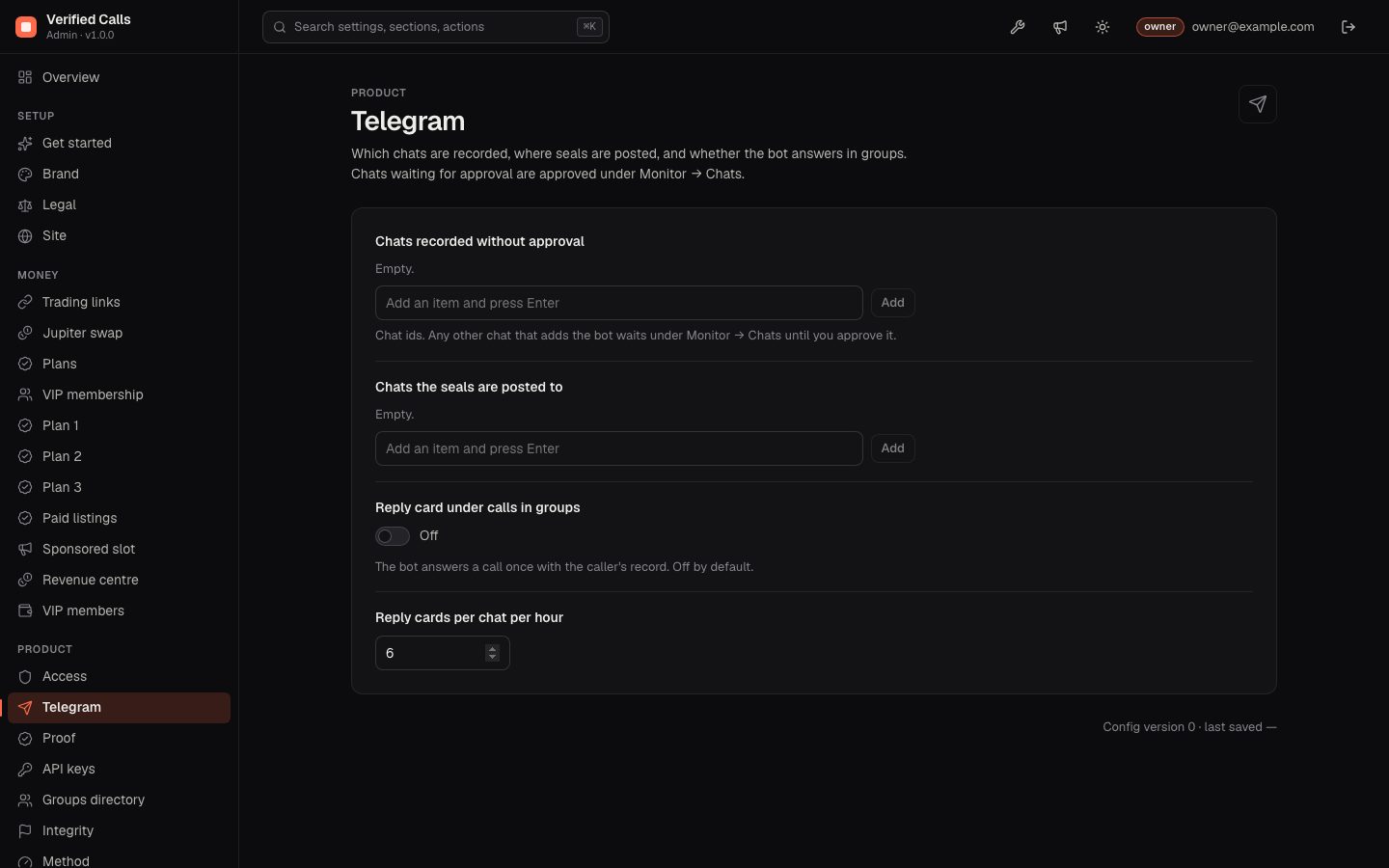
| Telegram | Chats recorded without approval, chats the seals are posted to, reply card on/off and its hourly limit. |
| Proof | Operator wallet (public address that pays and signs seal memos), seal interval in minutes (default 10). |
| API keys | Turn on limits for /api: requests per minute without a key (60) and for a new key (600), and whether a reverse proxy sets X-Forwarded-For. Off: the API is open without limits. The proxy switch is also used by the per-visitor limits on payment requests and by click counting. |
| Groups directory | Which chats /groups lists: every approved chat, only the listed ones, or none. Never changes a ranking. |
| Integrity | Coordinated call rule (3 callers or chats within 10 minutes by default), paid-promotion tags (#ad, #promo, #sponsored, "paid promo", "paid promotion"), your VIP and free chat ids for the VIP-lead comparison. |
| Method | Follower delay, fee per side, minimum slippage per side, calls needed to be ranked, shrinkage. Published on /methodology; applies after a restart (recompute). |
06System
| Screen | What it does |
|---|---|
| Data sources | GeckoTerminal requests per minute (25), exit-liquidity check through your own RPC, log level. |
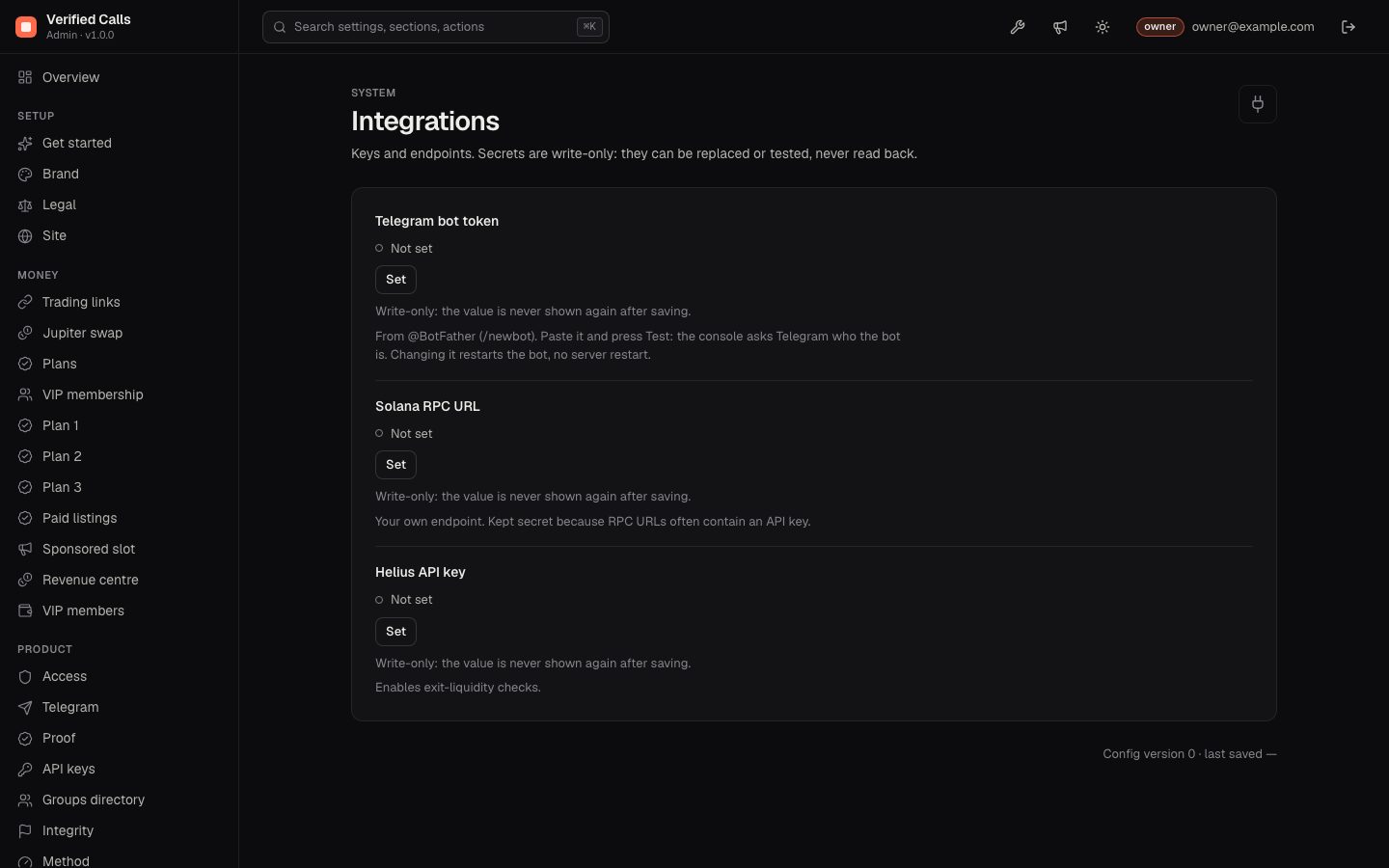
| Integrations | Telegram bot token, Solana RPC URL, Helius API key. Write-only, owner only, with Test. A value in .env locks the field. The bot token is also a step of Get started. |
| Notifications | An email address and a webhook (URL and signing secret) for the console's own alerts. |
| Backup | Download a consistent SQLite snapshot of the record, with the restore steps (owner only; the download is logged). |
| Security & alerts | Password, two-factor sign-in, sessions. |
| Export / Import | Settings export (never contains secrets) and import with a preview. |
07Monitor
| Screen | What you do there |
|---|---|
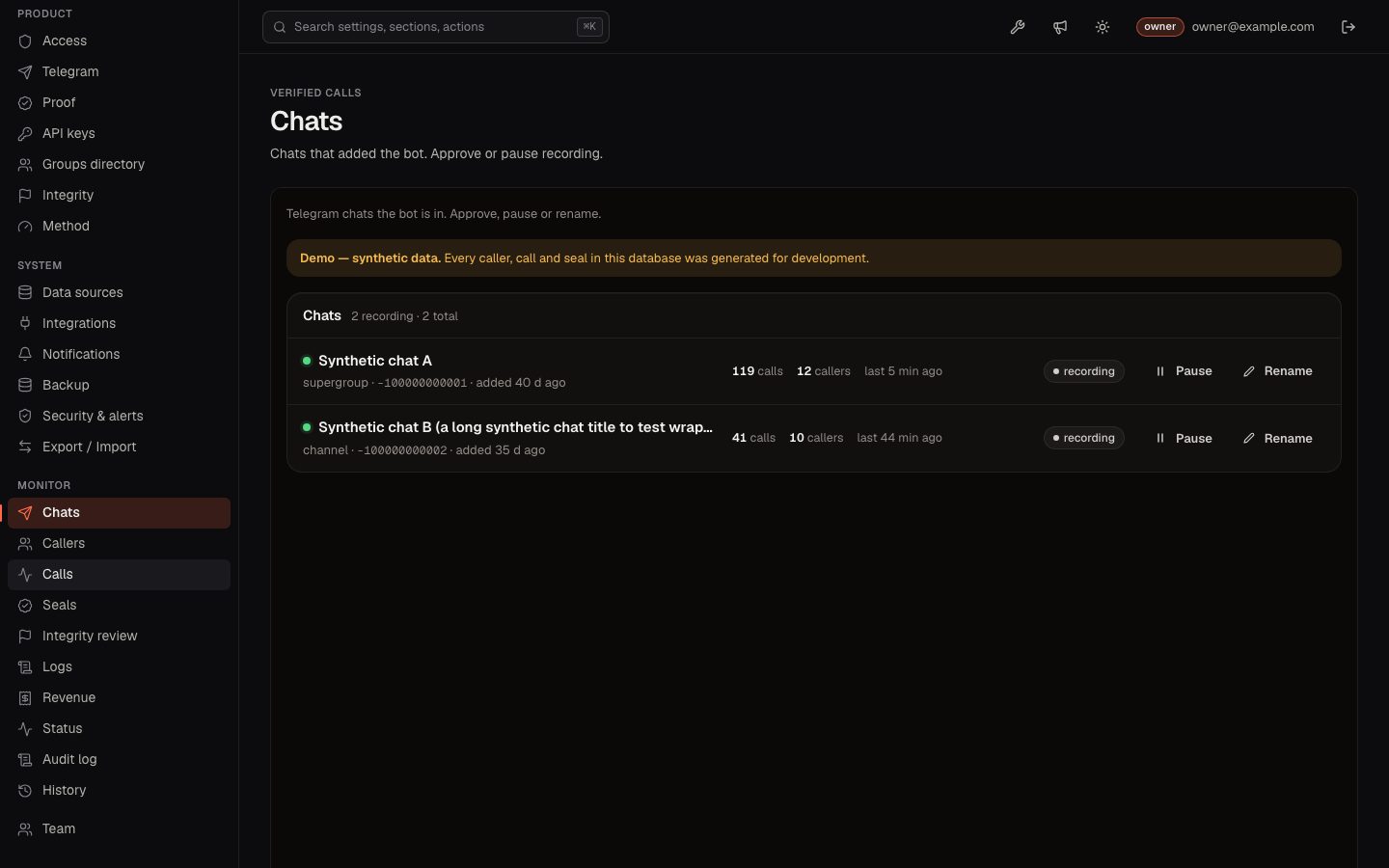
| Chats | Approve chats that added the bot; pause, resume and rename recorded chats (/admin/ops/sources). |
| Callers | Search, private notes, linked wallets (shortened; a reveal is logged, owner only), merge several Telegram identities of one person. A merge is a label: every call keeps its caller id, nothing sealed changes, and it can be undone. |
| Calls | Search and filter every recorded call. |
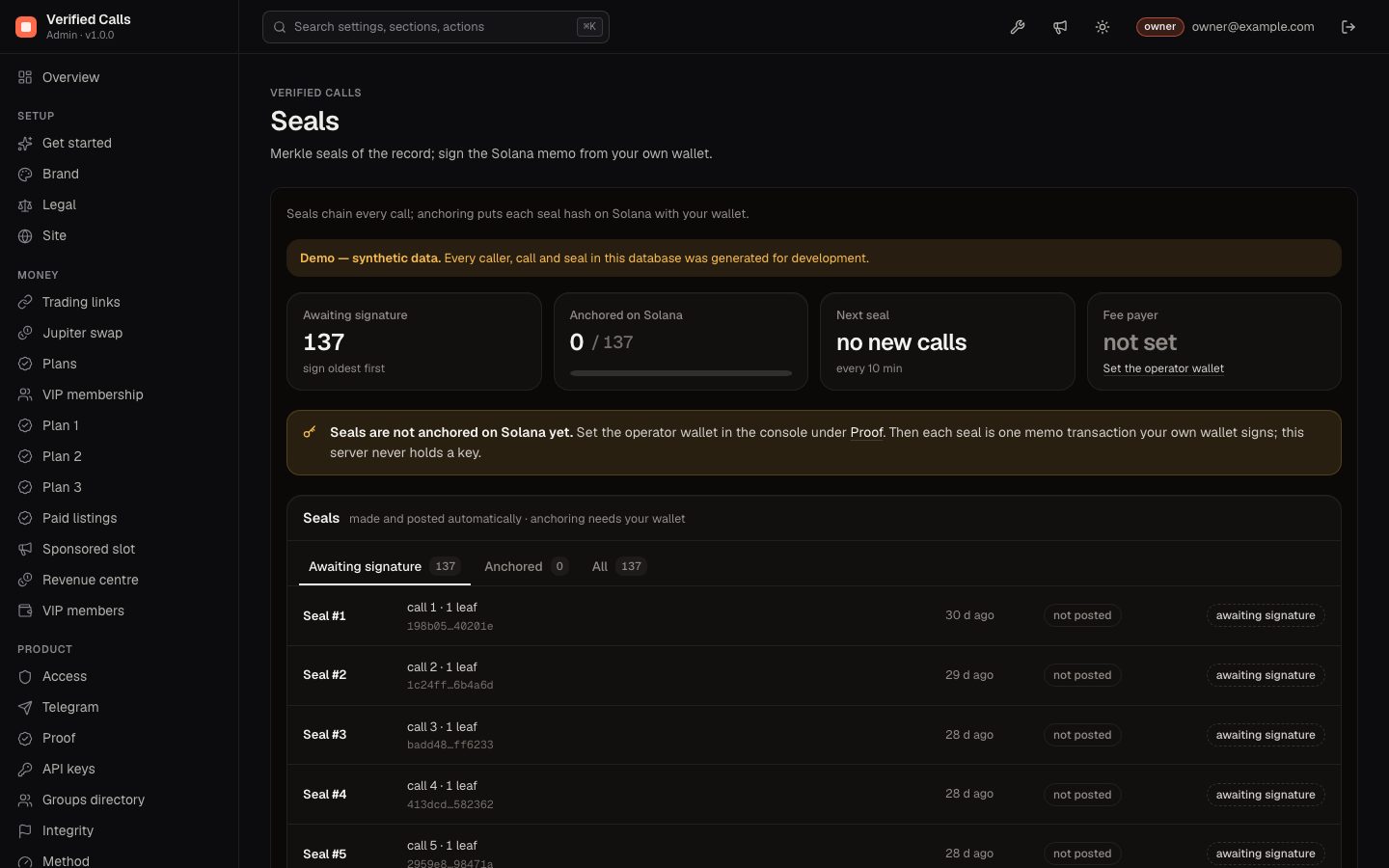
| Seals | Seals awaiting a signature and anchored ones; Sign with wallet on the oldest unsigned seal (how). |
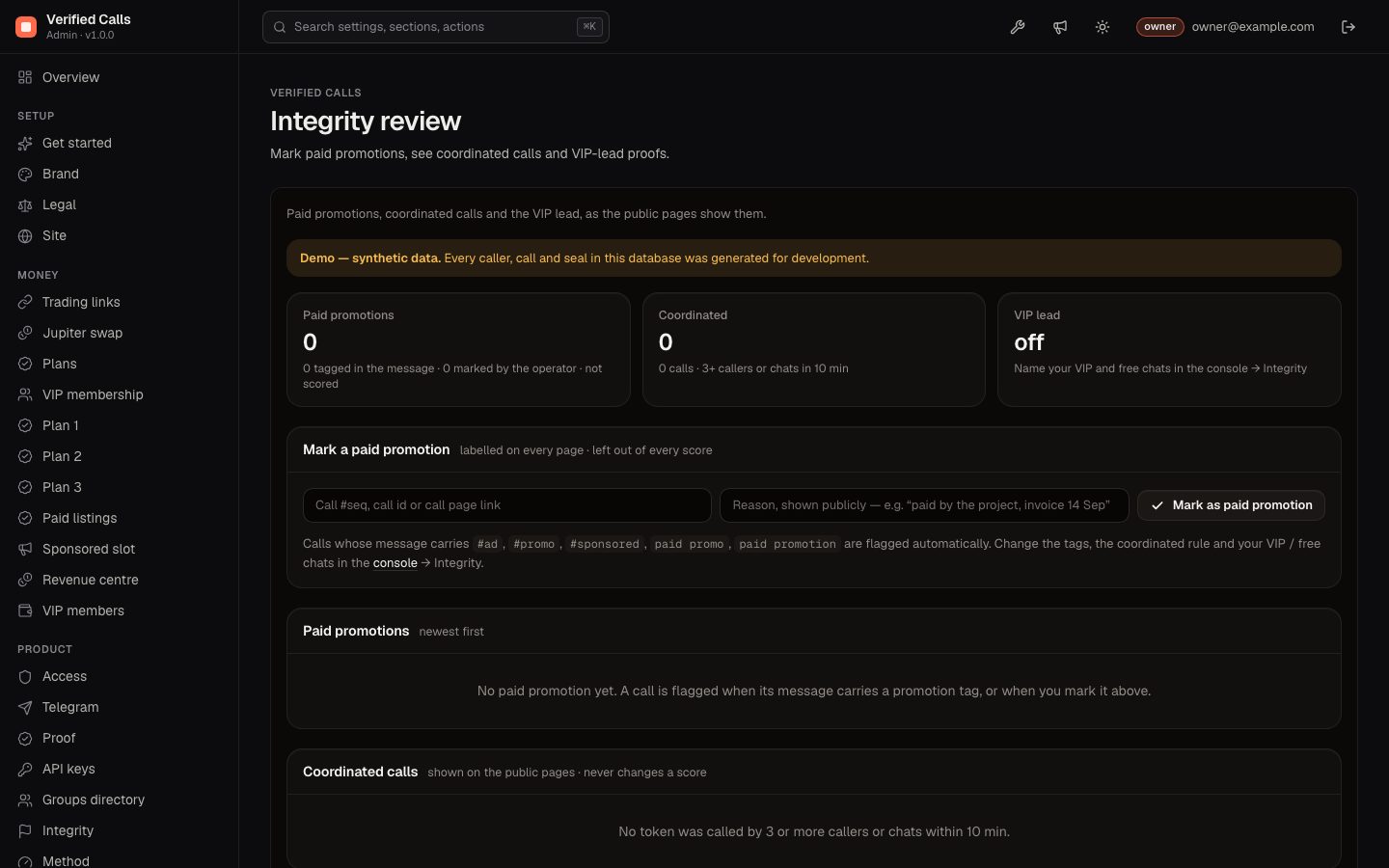
| Integrity review | Calls flagged as coordinated or promoted; mark a call as a paid promotion or withdraw your own mark. Marks are append-only and logged. |
| Logs | What the bot, the price jobs and the console did, repeats collapsed. |
| Revenue | Realised payments only: verified paid-listing and VIP payments, each with its transaction signature or Telegram charge id. Never an estimate. |
| Status | Checks: Telegram bot is connected (blocker), a chat is recording, price data is reachable, seals are being made, Solana RPC answers, public address is https, plus one check per earning option. Each failing check has a Fix link. |
| Audit log, History | Who changed what and when (CSV export); setting versions with a diff and rollback. |
The A chat is recording check stays on the Overview until at least one approved, unpaused chat is recording. It names the chats that are waiting for your approval.
08Team
Invite members as owner, manager or viewer. Adding a member, changing a role and removing a member are written to the Audit log.
09What no screen can do
No button deletes a call, unscores a call or changes a seal, and that includes the owner. A paid-promotion mark is the only way to take a call out of scoring, and it is shown publicly as a label.