
Telegram bot
records, posts, alerts.
The bot is yours: you create it in @BotFather and paste its token in the console. This page covers setup, what counts as a call, the commands members see and what the bot posts.
01Setup
- Create the botIn @BotFather send
/newbot, choose a name and a username ending inbot. Copy the token. - Privacy mode offBots in groups only see commands by default, which would record nothing. Send
/setprivacy→ your bot → Disable. If the bot is already in a group, remove it and add it again. Or make the bot an admin of the group: admins see all messages. The console's Test warns while privacy mode is on. - Paste the tokenConsole → Get started (step 5) or System → Integrations → Telegram bot token → Set, then Test. A new token restarts the bot without a server restart. (Or
TELEGRAM_BOT_TOKENin.env, which locks the field.) - Add the bot to your chatsGroups: add it like a member. Channels: make it an admin, or it receives no posts.
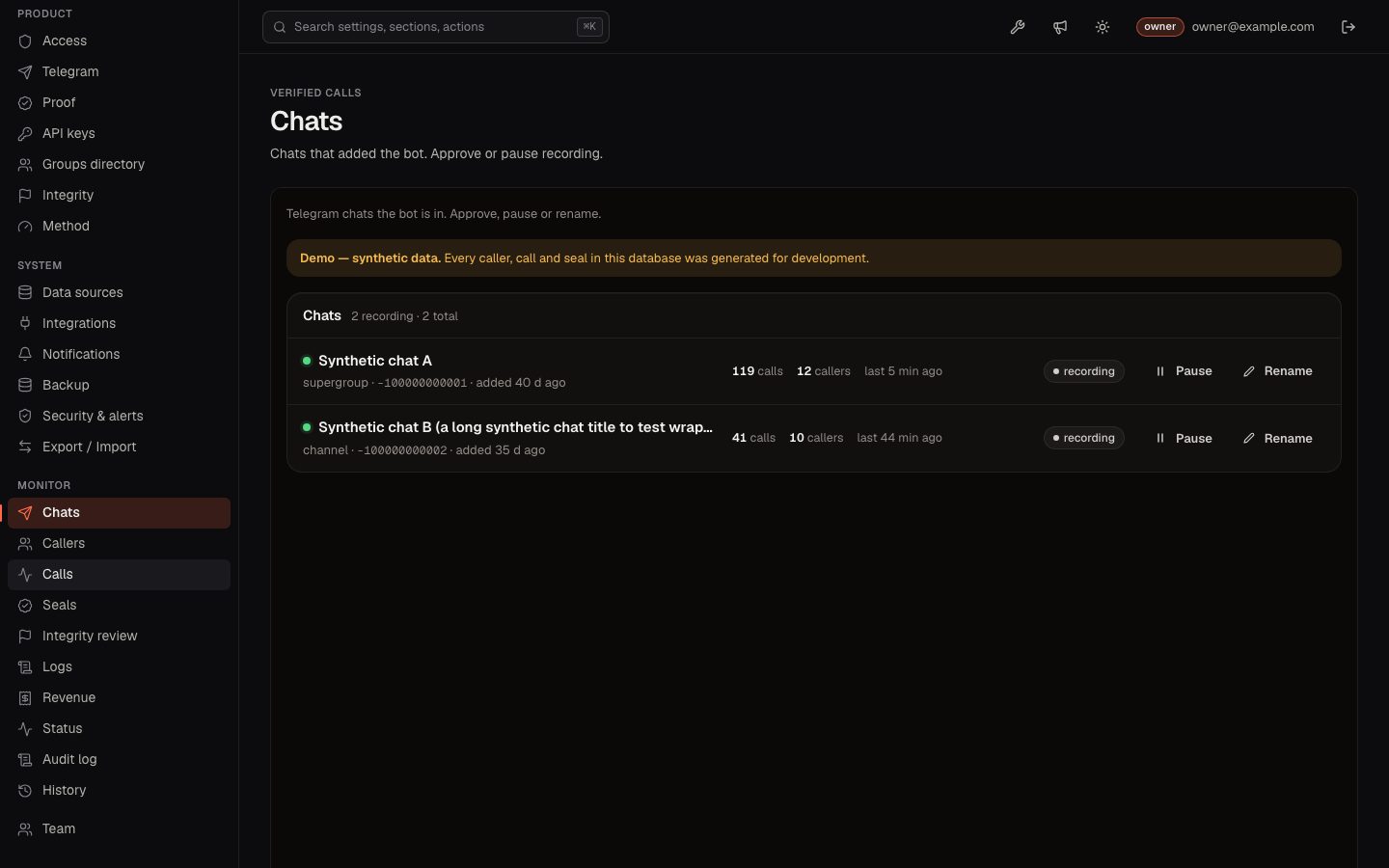
- Approve each chatConsole → Monitor → Chats → Approve. Or put the chat id in Telegram → Chats recorded without approval (
ALLOWED_CHAT_IDS) before adding the bot. Nothing is recorded from a chat before that; the start of coverage is sealed too. - Stop strangers adding itWhen your chats are added, send
/setjoingroupsin @BotFather → your bot → Disable. Even without it, an unapproved chat records nothing.
The recorder, commands and alerts are covered by automated tests with Telegram update data. A live bot was not used while writing these docs.
02What counts as a call
- A message in an approved chat that contains a Solana token address.
- Stored: time, caller, original text (and its SHA-256), a link to the message.
- An edit is stored next to the original; the original is what counts.
- Forwards and messages from bots are not calls. EVM addresses are not recorded.
- Deleting the Telegram message does not remove the call; bots are not told about deletions.
- Pause under Monitor → Chats stops recording a chat. Pause and resume are sealed as coverage events, so a paused stretch is a visible gap, never a silent hole.
03Commands in private chat
In groups the bot stays silent (except the optional reply card and seal posts). In a private chat it answers:
| Command | What it does |
|---|---|
/start, /help | What the bot records and how results are computed, with links to the leaderboard and /methodology. |
/top [1h|24h|7d] | Callers with the best record in a window (24 h by default). |
/caller @name | One caller's record. A caller page link works too. |
/follow @name, /unfollow @name, /following | Get a DM when a caller calls (up to 100 callers), stop, list. |
/token <address> | Every recorded call of a token, oldest first. Pasting an address alone works too. |
/settings, /quiet 23-7 [UTC+2] | Quiet hours, time zone, and "only ranked callers". /quiet off turns quiet hours off. |
/mycalls | The caller's own record and public page. |
/linkwallet | A one-time link where the caller signs a message to prove a wallet is theirs (for the exit-liquidity check). |
/vip | The VIP plans, when you sell membership (VIP membership). |
The site's Follow button on a caller page opens the bot with the follow already filled in.
04What the bot posts
- Seals.
Seal #12 · 40 calls · <seal hash>to every chat in Telegram → Chats the seals are posted to (SEAL_POST_CHAT_IDS). Telegram timestamps the message and members have seen it. - Follow alerts. A DM to each follower of the caller, with the caller's record next to the call. Sent through a queue that respects Telegram's rate limits.
- Reply card (off by default). Telegram → Reply card under calls in groups: the bot answers a call once with the caller's record, at most 6 per chat per hour by default (1–60).
- VIP invites and reminders, when membership is on.
05When the server is down
Telegram keeps undelivered bot updates for up to 24 hours. When the bot comes back it receives them with their original timestamps, so calls are recorded at the time they were posted. Messages older than that are lost to the bot.
Run only one process per bot token. Two processes polling the same token fail; Console → Monitor → Status shows the error.