
Earnings
what exists, how to switch it on.
Verified Calls is revenue-ready: it ships with six earning options, each off and empty until you set it. Money always goes to your own accounts: your referral codes, your Jupiter referral account, your wallet, your bot's Stars balance. The server holds no key and nothing is sent to MIKODES.
01The options at a glance
| Option | Who pays | Where the money goes | Console |
|---|---|---|---|
| Trading links | The venue, under its referral programme, when a visitor trades there | Your referral account at the venue | Money → Trading links |
| Jupiter swap | A swap fee on swaps made in the widget | Your Jupiter referral account (Jupiter keeps 20 % of the fee) | Money → Jupiter swap |
| VIP membership | Members, for access to your private chat | Your bot's Stars balance, or your Solana wallet (USDC or SOL) | Money → Plans, VIP membership, Plan 1–3; members under Money → VIP members |
| Paid listings | Group owners, to be listed first on /groups | Your Solana wallet | Money → Paid listings |
| Sponsored slot | A sponsor, under your own agreement | Outside the product | Money → Sponsored slot |
| API keys | Data users, under your own agreement | Outside the product | Product → API keys |
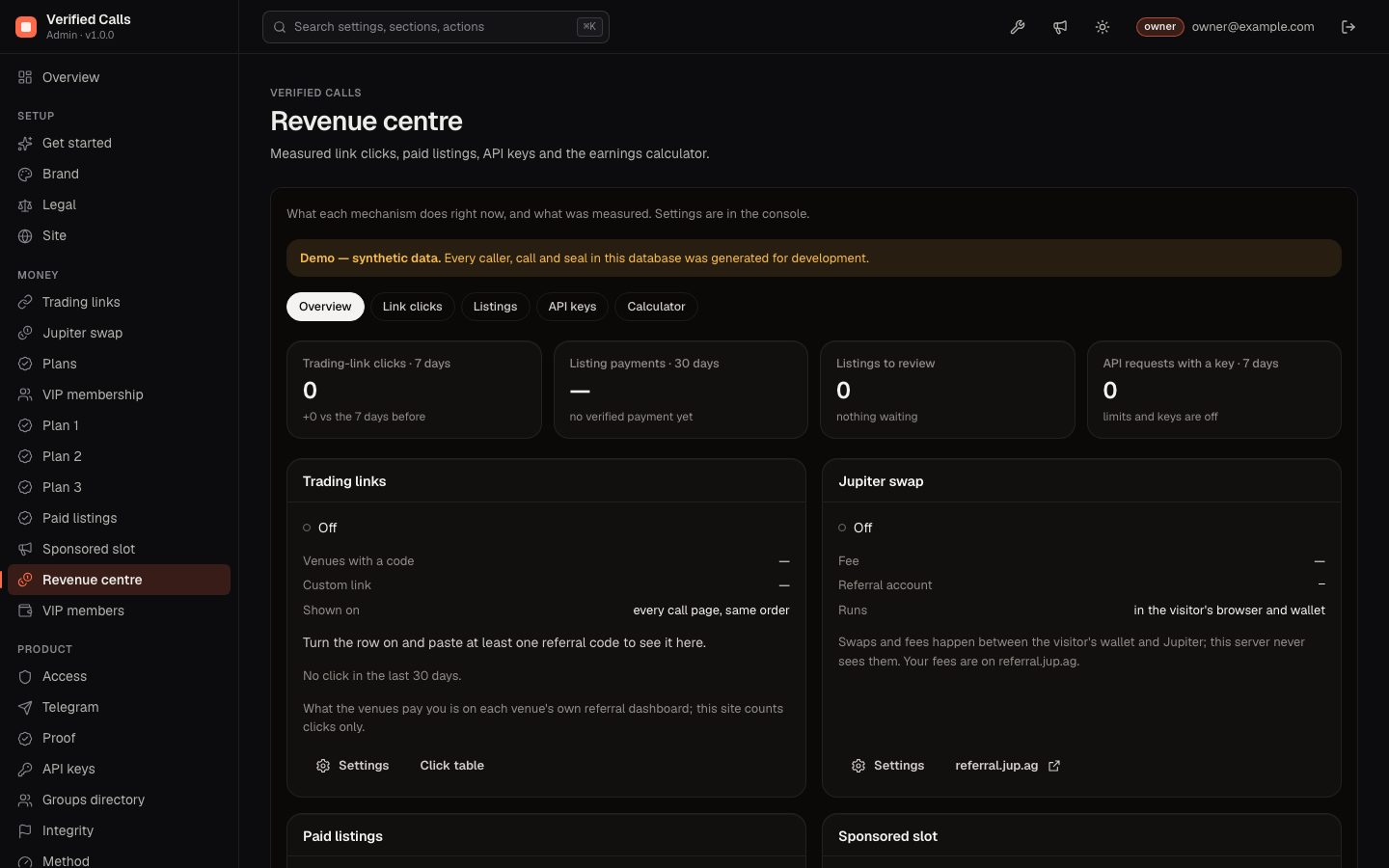
Money → Revenue centre shows what each option does now and what was measured (clicks, verified payments). Monitor → Revenue counts realised payments only. What a venue or Jupiter pays you is on their own dashboards; this site counts clicks only.
02Trading links
A row of buttons to trading bots and terminals, with your referral codes, on every call page in the same fixed order, whatever the result. It also appears once on token pages. It never appears on lists, the feed or the leaderboard, and the site never calls it a recommendation.
- Paste your codesMoney → Trading links. Presets: BONKbot and GMGN (open the token; format from the venue's own docs), Axiom, Bloom and Trojan (open the venue with your referral, not the token; their link format is not confirmed in the venues' own docs, and the console says so). Codes may use letters, digits,
-and_. - Custom link (optional)Any other venue: an
https://template with{mint}, and a label. The same asBUY_URL_TEMPLATE/BUY_LABEL. - Switch on"Show the trading row on call pages". Open a call page and test each link yourself.
Each button goes through /r/<venue>/<mint>, which counts the click per day and venue (no personal data) and redirects. A visitor who clicks the same venue for the same token again on the same UTC day is counted once (kept in memory only; when visitors cannot be told apart, for example behind a proxy without the proxy switch under Product → API keys, clicks are not deduplicated). Status → "Trading links work" checks the setup.
03Jupiter swap
A Jupiter swap widget on call and token pages. It runs in the visitor's browser and wallet (Jupiter Plugin from plugin.jup.ag); your server builds and relays nothing.
- Create a referral accountAt
referral.jup.ag. - Fill in the consoleMoney → Jupiter swap: show the swap, charge a swap fee, the fee in basis points (Jupiter accepts 50–255 bps; this console caps it at 200 bps = 2 %), and the referral account address (not your wallet).
- CheckStatus → "Jupiter swap fee applies". Below 50 bps swaps run without a fee.
Settings and page rendering are covered by automated tests; a live swap through the widget was not made while writing these docs.
04VIP membership
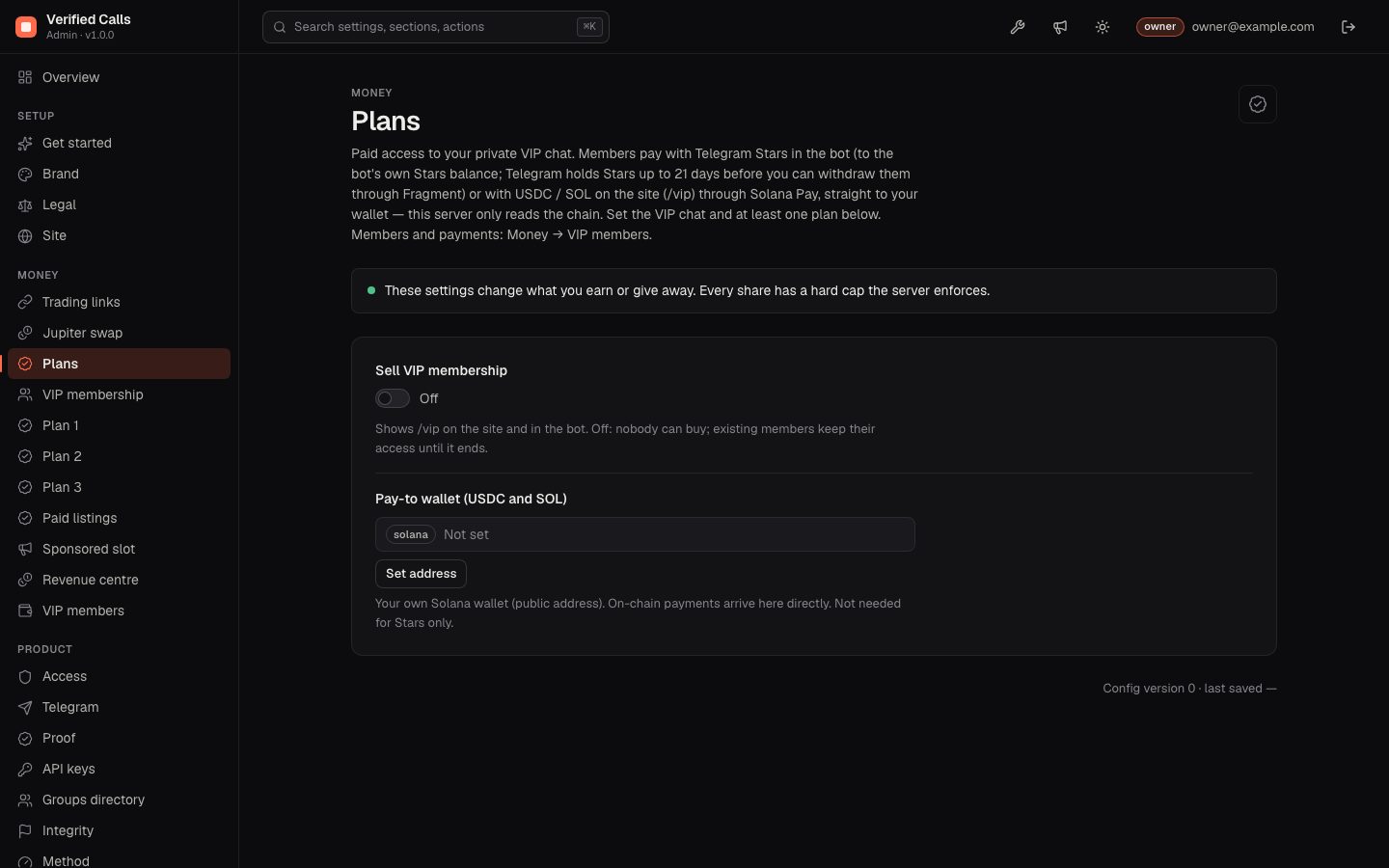
Sell access to your private VIP chat on the strength of a public record. Members pay with Telegram Stars inside the bot, or with USDC or SOL on the site at /vip through Solana Pay, straight to your wallet.
- Prepare the chatAdd the bot to the VIP chat as an admin with Invite users and Ban users. Do not approve it under Monitor → Chats unless you want its calls in the public record.
- VIP membershipThe VIP chat id (e.g.
-1001234567890), reminder before access ends (3 days), grace period after the end (1 day). - Plan 1–3Name, access period in days, prices in USDC, SOL and Stars (0 = not sold in that currency), what members get, and optionally another chat for that plan. A plan is offered once it has a name and a price.
- PlansThe pay-to wallet for USDC and SOL (your public address), then switch on "Sell VIP membership".
- CheckStatus → "VIP membership works" checks the bot's rights in the chat.
- Stars:
/vipin the bot. A 30-day plan is a Telegram subscription that renews by itself (Telegram allows only 30 days); any other period is a one-time payment. Stars go to the bot's balance; Telegram holds them up to 21 days before you can withdraw through Fragment. The bot never shows a crypto price. - USDC / SOL: the member picks a plan on
/vip, pays the Solana Pay request from their wallet, then opens the bot with the link shown to get the invite. The server only reads the chain: exactly one transfer of the right asset and amount to your wallet, finalized. One on-chain transaction pays one request only, across VIP checkouts and paid listings. - Access: a one-time invite link (one person, valid 24 hours). Console viewers see that an invite was sent, not the link. A reminder DM before the end; after the end plus the grace period the bot removes the member (ban and unban, so they can rejoin after paying again).
- Money → VIP members: members and payments; grant or revoke by hand with a reason, re-send an invite, export CSV.
- Limits: one visitor (client address) can open at most 5 payment requests in 30 minutes, for VIP checkouts and paid listings; the next attempt is asked to finish an open one or try again later.
Payment checks, invites and removals are covered by automated tests with simulated Telegram and chain responses. No live Stars or Solana Pay payment was made while writing these docs. Make one small test payment yourself before you announce VIP.
05Paid listings
Group owners pay to appear at the top of the public Groups page (/groups), labelled "Paid listing". A listing never changes a ranking or a result.
- Set it upMoney → Paid listings: price per period, paid in USDC or SOL, period in days (30), your pay-to wallet, then switch on.
- They applyAt
/groups/listthe group owner picks one of the recorded groups, writes a headline, description and Telegram link and pays the Solana Pay request. Sending the same form twice reuses the open request; any change makes a new one. - You reviewMoney → Revenue centre → Listings: read the headline, description and join link, then approve or decline. A join link that names another public @username than the recorded group's own is marked "not this group's public @username". Approved listings show for the paid period.
06Sponsored slot
One card for a service (a trading tool, a wallet, a scanner) on the Groups page, always labelled "Sponsored". It never appears on a call or the leaderboard. The slot is not shown while any field contains a token address, a token page or a promise word such as "profit" or "100x"; Status says why. Fill in sponsor, headline, text (280 characters) and an https link, then switch on. Payment is agreed between you and the sponsor.
07API keys
The read-only JSON API (/api) is open by default. Product → API keys turns on per-minute limits (60 without a key, 600 for a new key) and keys with higher limits. Issue and revoke keys in Money → Revenue centre → API keys (owner only); only a hash of each key is stored. Clients send Authorization: Bearer vc_… or X-API-Key: vc_…. Charging for keys is up to you, outside the product.
08The calculator
Money → Revenue centre → Calculator does arithmetic on your own assumptions (people trading through your links and their volume, venue fee and your share, swap volume and fee, listings, paying members and price) per option and per month, and shows the formula. It opens with small placeholder inputs (your own fee and listing price where you set them); replace every input with your own numbers. It is an illustration for planning: never a forecast, never public and never counted as revenue.
09Wording for your posts
- Say: track record, follower result, after fees and slippage, median, sealed, "anyone can re-check this record".
- Avoid: profit promises, "100x", "best caller", win rate as a headline, "clean" for a caller. Never quote a peak as a result.
- The trading row is a link, not advice. Keep it identical on every call.
- If you charge for access to a call group, check the rules that apply where you and your members live.